
Solving PDEs with FEM using NGSolve#
Joachim Schöberl, TU Wien
Course at SciCADE 2026 Research School
In this course we give an introduction to#
Finite element methods, standard and non-standard
Continuum mechanics, including solid and structural mechanics and fluid dynamics
Computational electromagnetics
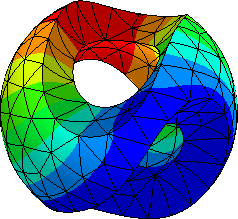
Computations with NGSolve#
All presented methods are available within the finite element library NGSolve. Participants are invited to experiment with NGSolve within jupyter notebooks.
either using google colab
or installing on their own laptops
NGSolve is open source (under the LGPL license), and also this material is freely available (under the CCO-1.0 license). Many thanks go to the contributors to NGSolve, in particular E. Bonetti, J. Gopalakrishnan, M. Hochsteger, C. Lackner, P. Lederer, C. Lehrenfeld, M. Neunteufel, A. Pechstein, J. Schöberl, S. Zaglmayr
Whatsapp group:#

Installing NGSolve#
It is easy to install NGSolve using
python -m pip install numpy scipy matplotlib jupyter ipyparallel scikit-build
python -m pip install --upgrade ngsolve anywidget
If you want latest pre-releases:
python -m pip install --upgrade --pre ngsolve anywidget
To test the installation, open jupyter-notebook (or jupyter-lab or VS Code), create a new notebook, create and execute a cell with
from ngsolve import *
from ngsolve.webgui import Draw
Draw (unit_cube.shape);
Extended installation instructions in an virtual environment and a list of common problem fixes are available from NGS24 Installation instructions